

Keyboard Case for Samsung Galaxy Tab S10+ Plus/ S9 FE+ Plus/ S9+ Plus/ S8+ Plus / S7 FE/ S7+ Plus 12.4 inch, 7 Colors Backlit, Smart Touchpad, Detachable Folio Keyboard Cover with S Pen Holder, Blue
Product details
| Management number | 208612294 | Release Date | 2026/03/22 | List Price | $17.20 | Model Number | 208612294 | ||
|---|---|---|---|---|---|---|---|---|---|
| Category | |||||||||
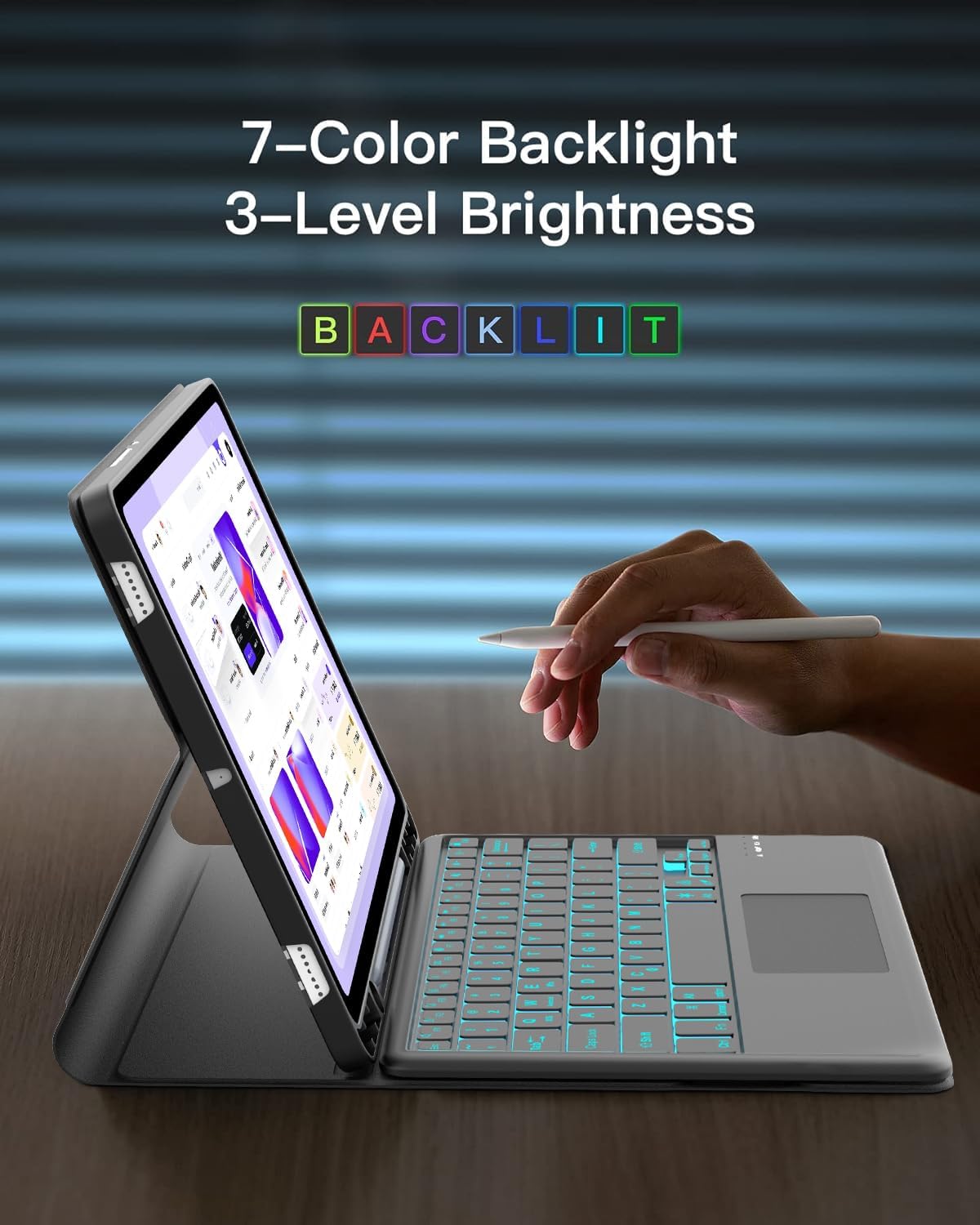
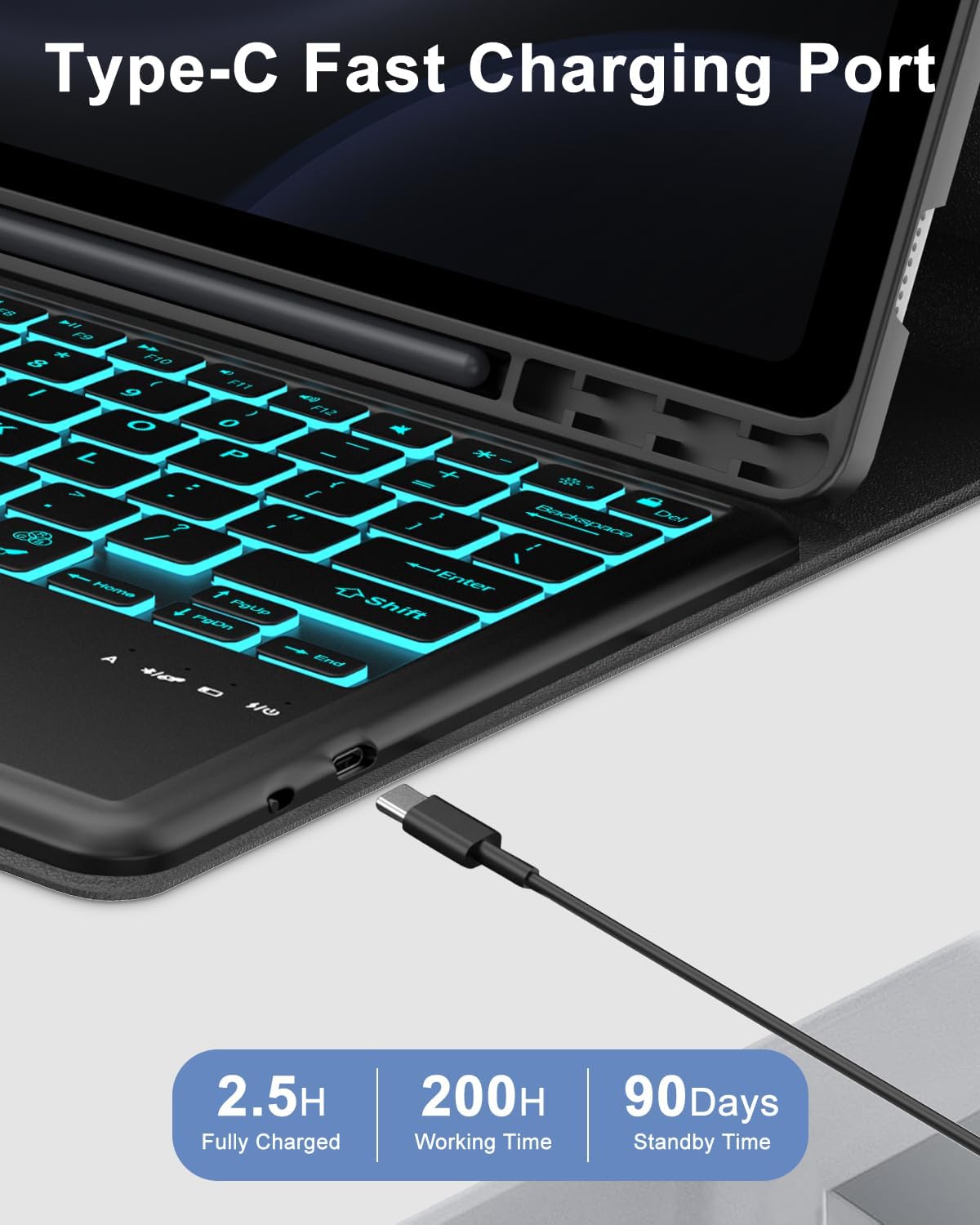
Keyboard Case for Samsung Galaxy Tab S10+ Plus/ S9 FE+ Plus/ S9+ Plus/ S8+ Plus / S7 FE/ S7+ Plus 12.4 inch, Smart Touchpad, Detachable Folio Keyboard Cover with S Pen HolderProduct Advantage & Features:Ultrathin design:Slim and lightweight tablet case provides excellent protection from bumps, scratches, and spills. Keeps your tablet nice and safe.Three versatile modes: This protective case with keyboard support offers three user-friendly modes—typing, Viewing, and Reading—to Meet your various needs in daily life.Bluetooth wireless backlit keyboard: contains 7 color backlights and 3 brightness levels. The edge-to-edge layout of well-spaced keys helps ensure familiar laptop-like typing. Comfortable and Responsive.Multi-operating systems: Works with iOS, Android, and Windows systems.LED light indicator: The red and green light indicator gives you information about the keyboard battery condition.How to connect the Bluetooth keyboard:Step 1: Turn on the Bluetooth keyboard power switch, the power indicator blue light is on.Step 2: Press the [CONNECT] button, the [Bluetooth] indicator light will be blinking in blue color.Step 3: Click the “Setting” icon. On the “Setting” configuration, turn on the “Bluetooth” key, which lets the tablet be in the “Searching” status.Step 4: The tablet displays the “Bluetooth 3.0 Keyboard” as an available device. Click on the “Bluetooth 3.0 Keyboard” on the tablet screen.Step 5: The “Bluetooth 3.0 Keyboard” name will be shown as “Connected ”.The wireless signal light goes out, the connection is successful.Package List:1* Case for Samsung Tab 12.4 inch.1* Removable backlit Bluetooth Keyboard.1* USB Charging Cord.1* User Manual.
- 𝐂𝐨𝐦𝐩𝐚𝐭𝐢𝐛𝐢𝐥𝐢𝐭𝐲: This 12.4-inch Keyboard Case is compatible with Samsung Galaxy Tab S10+ Plus 12.4 inch 2024 (Model: SM-X820/X826B/X820N/X826N) & S9 FE+ Plus/ S9+ Plus 2023 (Model: SM-X810/X816B/X610/X616B) & S8+ /S8 Plus 12.4" 2022 (Model SM-X800/X806) & S7 FE 5G 12.4 inch 2021 (Model SM-T730/T733/T736/T738) & S7+/S7 Plus 12.4-inch 2020 (Model Sm-T970/T975/T976/T978), It will only work for the above model device. NOTE: Tablet and S Pen not included.
- 𝐌𝐚𝐠𝐧𝐞𝐭𝐢𝐜 𝐃𝐞𝐭𝐚𝐜𝐡𝐚𝐛𝐥𝐞 𝐖𝐢𝐫𝐞𝐥𝐞𝐬𝐬 𝐁𝐥𝐮𝐞𝐭𝐨𝐨𝐭𝐡 𝐊𝐞𝐲𝐛𝐨𝐚𝐫𝐝: Snap the keyboard on/off effortlessly with strong magnetic alignment, type with the keyboard attached, or detach it when not needed, adapting to your usage preferences.
- 𝟕 𝐕𝐢𝐛𝐫𝐚𝐧𝐭 𝐂𝐨𝐥𝐨𝐫𝐬 𝐁𝐚𝐜𝐤𝐥𝐢𝐭 𝐊𝐞𝐲𝐛𝐨𝐚𝐫𝐝: It keyboard case with a customizable 7-color RGB backlight (adjusted via FN keys). Adjustable Brightness Enhance typing in any lighting condition, offering 3-tier brightness control. Choose your preferred color and brightness to match your environment, ensuring comfortable typing day or night.
- 𝐀𝐝𝐣𝐮𝐬𝐭𝐚𝐛𝐥𝐞 𝐕𝐢𝐞𝐰𝐢𝐧𝐠 𝐀𝐧𝐠𝐥𝐞𝐬: for Samsung Galaxy Tab S8+ Plus Keyboard Case with 3 different adjustable horizontal stand angles and built-in anti-slip grooves. Move the keyboard forward or backward along the cover of the case, allowing you to easily use your Samsung tablet for typing, notes, watching videos, or drawing. Easily adjust to the most comfortable angle for you
- 𝐌𝐮𝐥𝐭𝐢-𝐓𝐨𝐮𝐜𝐡 𝐓𝐫𝐚𝐜𝐤𝐩𝐚𝐝 & 𝐋𝐚𝐩𝐭𝐨𝐩-𝐒𝐜𝐚𝐥𝐞 𝐓𝐲𝐩𝐢𝐧𝐠 𝐄𝐱𝐩𝐞𝐫𝐢𝐞𝐧𝐜𝐞: Control your Samsung tablet like a pro with the precision multi-touch trackpad, which supports gestures like pinch-to-zoom and two-finger scroll. Paired with a full-size keyboard, enjoy seamless navigation, allowing you to use it like a laptop to edit documents, navigate applications, and build presentations with unmatched speed, precision, and accuracy
- 𝐀𝐮𝐭𝐨 𝐒𝐥𝐞𝐞𝐩/𝐖𝐚𝐤𝐞 𝐅𝐮𝐧𝐜𝐭𝐢𝐨𝐧 & 𝐏𝐫𝐞𝐜𝐢𝐬𝐞 𝐂𝐮𝐭𝐨𝐮𝐭𝐬: Conserve battery life with the automatic sleep/wake feature, which activates your tablet upon opening and puts it to sleep when closed. Precise cutouts ensure easy access to all ports, buttons, and the S Pen holder, maintaining full functionality without removing the case
- 𝐏𝐫𝐞𝐦𝐢𝐮𝐦 𝐏𝐫𝐨𝐭𝐞𝐜𝐭𝐢𝐨𝐧 𝐰𝐢𝐭𝐡 𝐒𝐥𝐢𝐦 & 𝐏𝐨𝐫𝐭𝐚𝐛𝐥𝐞 𝐃𝐞𝐬𝐢𝐠𝐧: Combining a flexible TPU material provides all-around protection, safeguarding your device from scratches, drops, and impacts, while maintaining a slim, lightweight profile. The detachable keyboard folds into a compact folio, ideal for travel or daily commutes. Includes a dedicated slot for the S Pen to prevent loss
| Item Weight | 2.07 pounds |
|---|---|
| Manufacturer | KVAGO |
| Package Dimensions | 12.13 x 9.14 x 1.22 inches |





Bestseller ranking
Anime


Customers who viewed this product also viewed
Flexcut


Correction of product information
If you notice any omissions or errors in the product information on this page, please use the correction request form below.
Correction Request Form